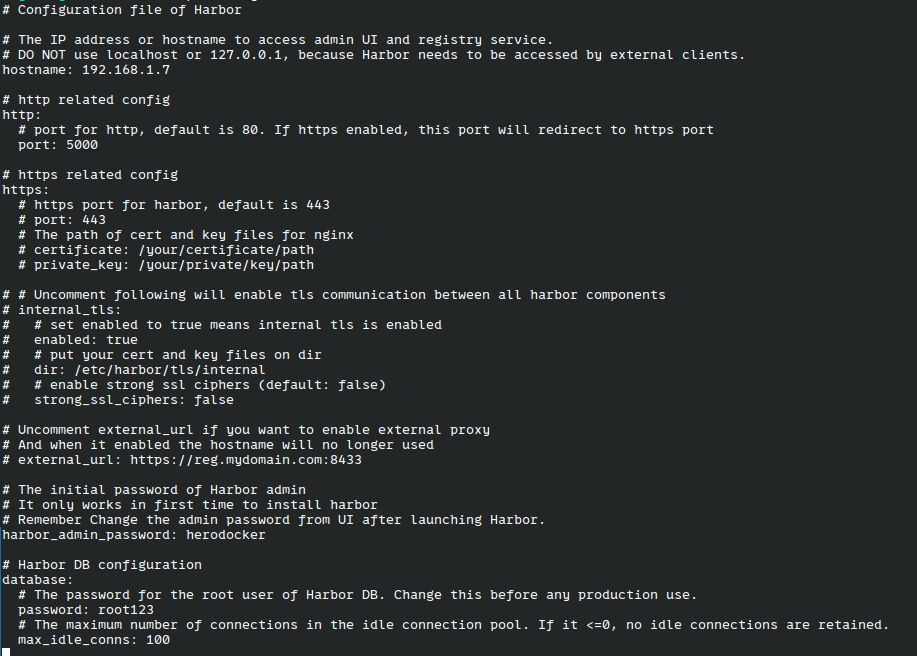
#配置启动端口号 # http related config http: # port for http, default is 80. If https enabled, this port will redirect to https port port: 5000
# 如果没有申请证书,需要隐藏https #https: # https port for harbor, default is 443 # port: 443 # The path of cert and key files for nginx # certificate: /your/certificate/path # private_key: /your/private/key/path
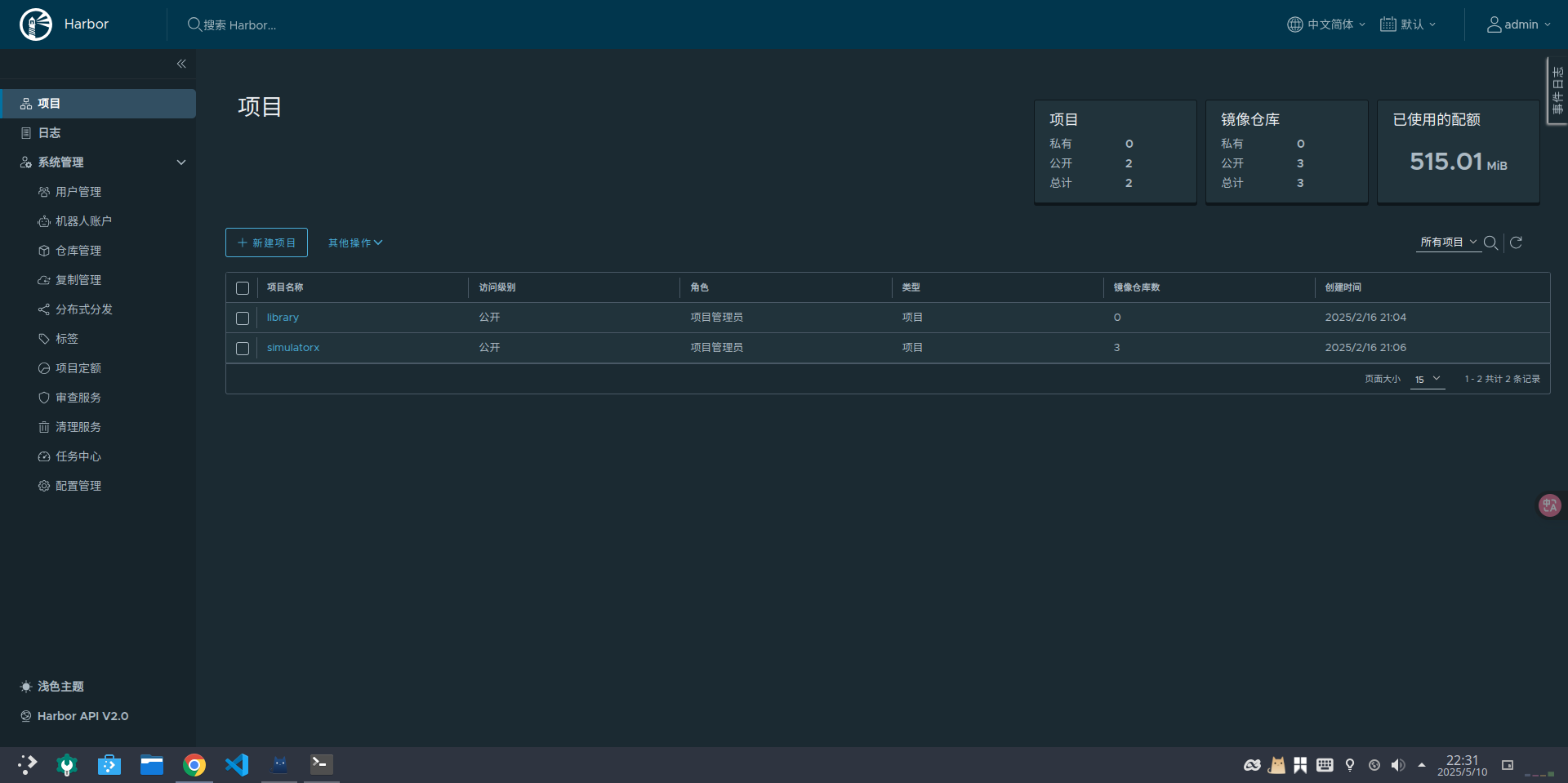
#启动成功后,admin用户登录密码 # Remember Change the admin password from UI after launching Harbor. harbor_admin_password: AdminHarbor12345
5.2、启动
配置文件修改成功后,执行 `install.sh` 脚本进行安装harbor
1
./install.sh
启动报错:
1 2 3 4 5 6 7
[Step 0]: checking if docker is installed ...

Note: docker version: 26.1.3

[Step 1]: checking docker-compose is installed ...
/opt/harbor/common.sh: line 119: docker-compose: command not found
✖ Failed to parse docker-compose version.
WARNING! Using --password via the CLI is insecure. Use --password-stdin.
Error response from daemon: Get "https://192.168.1.7:5000/v2/": proxyconnect tcp: dial tcp 192.168.65.7:3128: connect: connection refused
WARNING! Using --password via the CLI is insecure. Use --password-stdin. WARNING! Your password will be stored unencrypted in /root/.docker/config.json. Configure a credential helper to remove this warning. See https://docs.docker.com/engine/reference/commandline/login/#credentials-store
My personal blog is a lively corner where I document my journey of self-improvement, continuous learning, and share the highs and lows of my life's adventures. It's a digital diary where I enthusiastically capture the steps I take to better myself, the invaluable lessons I've learned, and a platform to express my thoughts and experiences.